Murlet Overview
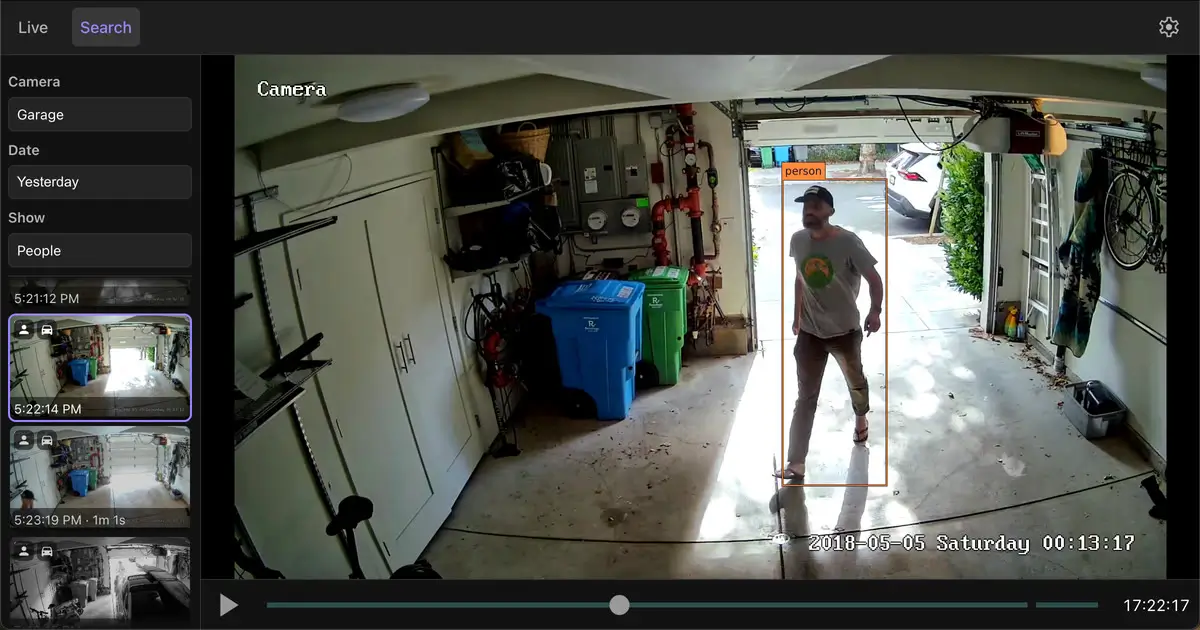
Murlet for Mac is a free network video recorder (NVR) that records security camera footage directly to your Mac, with no cloud service or account required. It works with any RTSP-compatible IP camera, using your Mac's GPU and Neural Engine to detect people, cars, and animals in recorded footage without sending anything online. All processing and storage stay local, so your footage never leaves your Mac. It's lightweight enough to record nine cameras using less than one CPU core on an M1 MacBook Pro. Recordings save as standard Matroska (.mkv) video playable in VLC, with metadata stored in SQLite, so your footage isn't locked into a proprietary format.
Why Choose Murlet for Mac
Most consumer security camera systems route your footage through the manufacturer's cloud, often with a subscription attached. Murlet skips that entirely: recordings stay on your Mac, there's no account to create, and no internet connection is required for recording to continue, even during an outage.
There's an important compatibility detail worth checking before you rely on it: Murlet needs a real RTSP stream from your camera, and popular consumer brands like Ring, Nest, Blink, and recent Wyze models don't expose one. It works well with RTSP-compatible IP cameras, including inexpensive models, just not with those specific cloud-first brands. It's also Apple Silicon only, with no Intel Mac support, and your Mac needs to stay awake (though the screen can sleep) for recording to continue, which makes a dedicated Mac mini a natural fit for always-on use.
Key Features
- Works with any RTSP-compatible IP camera, including inexpensive models
- On-device AI detection for people, cars, and animals using the GPU and Neural Engine
- Fully local processing and storage, with no cloud service involved
- No account or sign-up required to use the app
- Recording continues through internet outages
- Size-capped storage that automatically deletes the oldest footage first
- Standard Matroska (.mkv) video format, playable in VLC
- SQLite metadata storage, so footage isn't locked into a proprietary system
- Lightweight performance, recording nine cameras using under one CPU core on an M1 MacBook Pro
- Minimal network activity, limited to a daily update check rather than ongoing analytics
What's New in 2026.8.0 Version
Murlet's recent updates focus on refining its core recording and detection features. Since release notes aren't always published in detail, the most reliable way to see specific changes is checking the app's own update notifications after installing.
Supported macOS Versions
Murlet requires macOS 12 or later and only runs on Apple Silicon Macs; there's no Intel Mac version available. Since Murlet needs your Mac to stay awake to keep recording, using a Mac mini or another Mac you don't otherwise need to sleep works better than relying on a MacBook you close regularly.
How to Install Murlet on macOS?
Setting up Murlet on your Mac takes just a few steps.
- Download the latest version of Murlet for Mac.
- Open the downloaded disk image (.dmg) file.
- Drag the Murlet icon into your Applications folder.
- Launch Murlet from your Applications folder.
- Grant any camera network permissions macOS requests on first launch.
- Once installed, you can add your camera's RTSP stream and start recording right away.
How to Use Murlet Mac?
- Open Murlet and add your camera using its RTSP stream URL.
- Set how much disk space you want to allocate for recordings.
- Let Murlet begin recording continuously in the background.
- Use the search feature to find detected people, cars, or animals in past footage.
- Adjust storage limits anytime under Settings if you need more or less space.
Final Verdict
Murlet delivers genuinely private security camera recording, with on-device AI detection and zero cloud dependency, at no cost. Its biggest limitations are compatibility ones: Apple Silicon only, and no support for popular consumer brands like Ring or Nest that don't expose RTSP streams. For anyone with RTSP-compatible cameras and a spare Apple Silicon Mac to leave running, Murlet offers a private, capable alternative to subscription-based camera systems.
Download Murlet for Mac Latest Version
Ready to record your security cameras without sending footage to the cloud?
Download Murlet for Mac to record RTSP-compatible cameras locally, with on-device AI detecting people, cars, and animals in your footage automatically. Whether you're monitoring a driveway, a garage, or a home entrance, Murlet keeps your recordings private and fully under your control, with no account or subscription required.